
For an architect or someone closely involved with architectural programs, choosing the right platform is crucial. M4 Mac Mini stands out with its compact design and impressive performance. So is it the right choice for you?


Let’s dive into the details and discover how the M4 Mac Mini fits the needs of architects.
1. Performance Overview
Key Specifications:
- M4 Chip: The M4 chip has a 10-Core CPU for multithreaded applications. This enables it to handle rendering and 3D modeling tasks.
- Thermal Efficiency: According to MacRumors, M4 Mac Mini’s thermal architecture ensures consistent performance under heavy workloads with no slowdown.
- GPU Capabilities: With M4’s upgraded GPU, software like Rhino, SketchUp and Blender run smoothly.
Apple M4 Chip
The Apple M4 chip offers exceptional speed and power, allowing you to complete your daily activities with ease. Thanks to this chip, you can make video calls while working on different applications at the same time and carry out your daily tasks more efficiently.
Speed and Performance
The faster Neural Engine enabled by the M4 chip allows artificial intelligence (AI) features in your applications to run at the speed of light. This makes your applications run more smoothly and efficiently, dramatically improving the user experience.
Multitasking Capabilities
- Run Multiple Applications Simultaneously: With the M4 chip, you can run multiple applications seamlessly, so you can get your work done faster.
- Quickly View Photos: With the ability to instantly view thousands of photos, you can quickly scroll through your photo gallery without getting lost.
- 4K Video Editing: The M4 chip allows you to easily edit 4K videos, providing an excellent experience for content creators.
Memory Options
The M4 chip offers the option to configure with up to 32 GB of combined memory. This provides more data processing capacity and better multitasking performance, so you can achieve high productivity even in professional applications.
It has been observed that many architects find the M4 Mac Mini sufficient for most tasks, but some recommend the Mac Mini or Mac Studio with the M4 Pro chip for heavier rendering workflows.
Apple M4 Pro Chip
The Apple M4 Pro chip is a powerful processor designed for users who need high performance, accelerating everything from database design to code compilation. With a GPU that is almost 2x more powerful than the M4 chip, this chip delivers an exceptional experience for professional users.
Performance and Speed
The powerful Neural Engine offered by the M4 Pro chip allows you to perform AI-based professional workflows at the speed of light. This allows complex calculations and data processing to be completed much faster.
Advanced Task Capabilities
- Code Compilation: You can dramatically speed up your software development processes by quickly compiling millions of lines of code.
- 8K Video Streaming: The ability to edit multiple 8K video streams simultaneously offers a huge advantage for content creators.
Memory Options
The M4 Pro chip offers the option to configure with up to 64 GB of combined memory. This provides more data processing capacity and better multitasking performance, so you can achieve high productivity even in professional applications.
With its powerful GPU and advanced AI capabilities, the Apple M4 Pro chip is the ideal solution for professional users, allowing you to seamlessly manage busy workflows.
Apple M4 and M4 Pro Chip Comparison Chart
| Feature | Apple M4 Chip | Apple M4 Pro Chip |
|---|---|---|
| CPU | 10 cores (4 Performance, 6 Efficiency) | 12 cores (8 Performance, 4 Efficiency) |
| GPU | 10 cores | 16 cores |
| Hardware Accelerated Ray Tracing | There is | There is |
| Neural Engine | 16 cores | 16 cores |
| Memory Bandwidth | 120 GBps | 273 GBps |
| Configuration Options | – | 14-core CPU and 20-core GPU |
This table compares the key features of the Apple M4 and M4 Pro chips, showing which chip may be better suited for which situations.
Display Support for Apple M4 and M4 Pro Chip
Architects need high-quality displays to visualize their projects and manage the design process.


Apple M4 and M4 Pro chips meet this need with different display configurations.
Apple M4 Chip
- Three Display Support:
- Configuration: Two displays connected via Thunderbolt, up to 6K resolution at 60 Hz, and one display connected via Thunderbolt, up to 5K resolution at 60 Hz.
- Example Use: An architect wants to examine a project from three different perspectives. By viewing a drawing on a 6K display and a material palette on a 5K display, he can manage the design process more effectively.
- Two Display Support:
- Configuration: One display connected via Thunderbolt, up to 5K resolution at 60 Hz, and one display connected via Thunderbolt or HDMI, up to 8K resolution at 60 Hz or 4K resolution at 240 Hz.
- Example Use: While working with a CAD software on a 5K screen, the architect can see the details more clearly by keeping the visualization software open on an 8K screen.
Apple M4 Pro Chip
- Three Display Support:
- Configuration: Three displays up to 6K resolution at 60Hz, connected via Thunderbolt or HDMI.
- Example Use: An architect wants to present a project over a large area. Using three 6K displays, he can show 3D modeling, material selection and drawing details simultaneously.
- Two Display Support:
- Configuration: One display connected via Thunderbolt, up to 6K resolution at 60 Hz, and one display connected via Thunderbolt or HDMI, up to 8K resolution at 60 Hz or 4K resolution at 240 Hz.
- Example Use: When presenting a large-scale project, the architect can show design details on a 6K display and rendered images on an 8K display.
Additional Features
- Thunderbolt 4 and 5:
- The Apple M4 chip supports Thunderbolt 4, while the M4 Pro chip enables faster data transfer with Thunderbolt 5. This enables large files (for example, high-resolution 3D models) to be uploaded quickly.
- DisplayPort Support over USB-C:
- The M4 chip supports DisplayPort 1.4 and the M4 Pro chip supports DisplayPort 2.1. This optimizes display connections with higher resolution and refresh rates.
- HDMI Output:
- Both chips support one display up to 8K resolution at 60 Hz or 4K resolution at 240 Hz. This helps architects display their projects in the highest quality.
Apple M4 and M4 Pro chips support high-resolution displays for architects, making their design process more efficient. With different configurations, they can visualize and present their projects in the best possible way.
Pros
- Excellent price per performance.
- Compact and efficient design.
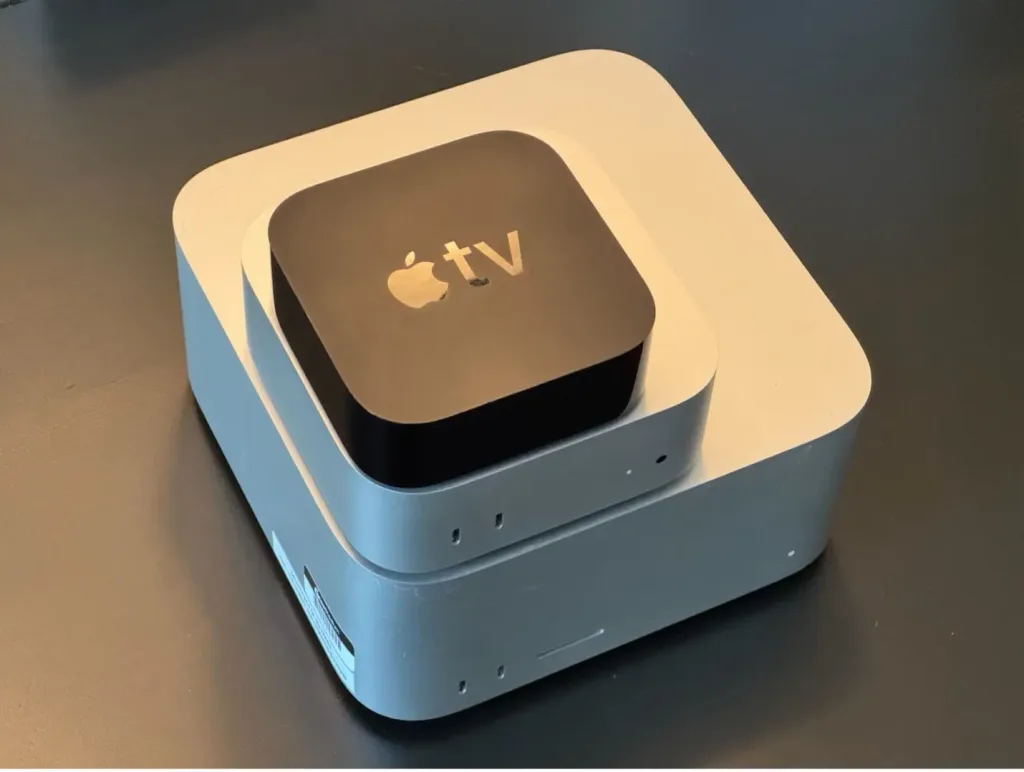

You can see how the Mac Mini M4 compares to the previous generation Mac Mini (right) and Mac Studio and Apple TV (left). Source: MacStadium
Cons:
- Slower front USB-C ports compared to the back.
2. Software Compatibility
Architectural programs like AutoCAD, Revit (via Parallels) and Adobe Creative Suite are fully supported on macOS. Here’s how the M4 Mac Mini performs with these tools:
- AutoCAD: Users report fast load times and smooth performance.
- Revit (via Parallels): M4 Mac Mini uses virtualization better than its predecessors, but native support for Revit is still lacking.
- 3D Rendering: Software such as V-Ray and Enscape benefit from the M4’s improved rendering speeds.
Expert Review: MacStadium’s Review highlights M4’s ability to manage complex workflows typical of architecture professionals.
Design Changes: The new Mac mini is smaller and provides better airflow and cooling thanks to an innovative thermal architecture.
Performance: The M4 Pro chip significantly improves performance, allowing it to handle intensive workloads efficiently.
Size: The new model measures 5in (12.7cm) x 5in (12.7cm) x 5in (12.7cm) and 2in (5cm) tall, making it compact for desktop installations.
Chip Performance: M4 Pro features a 14-core CPU and up to 20-core GPU and shows significant improvements over previous M2 chips.
M4 and M4 Pro Ports and Physical Specifications
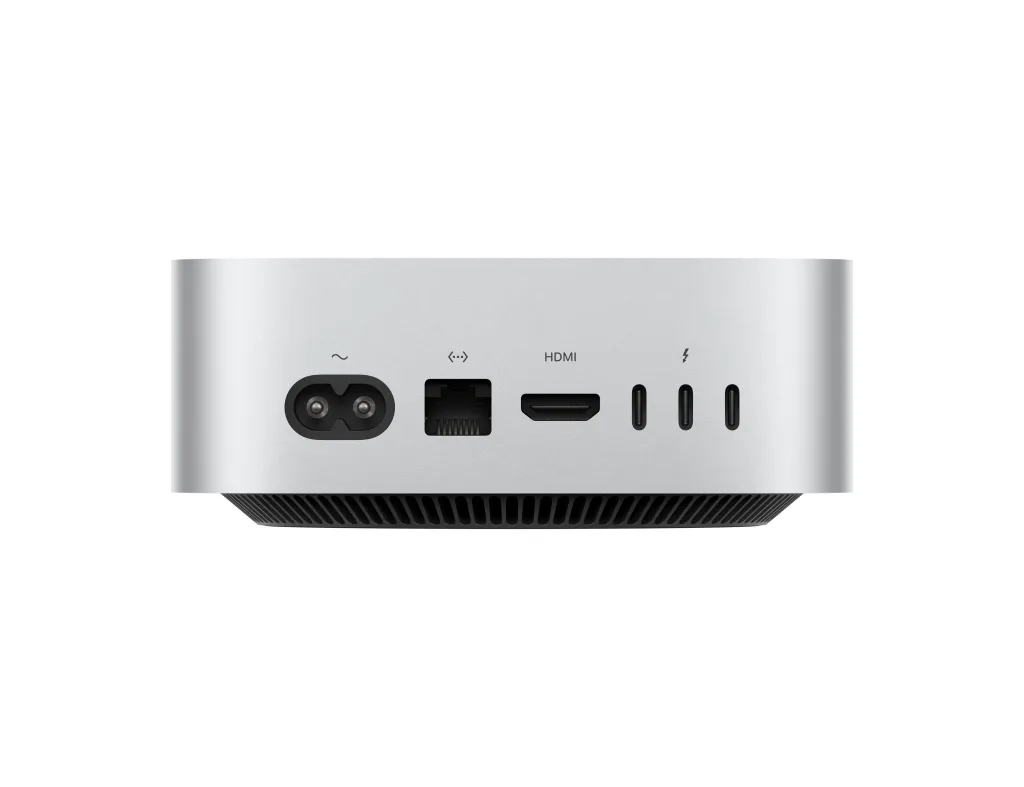
On the Front
| Feature | Apple M4 Chip | Apple M4 Pro Chip |
|---|---|---|
| USB Ports | 2 USB-C (USB 3, 10 Gbps) | 2 USB-C (USB 3, 10 Gbps) |
| Headphone Jack | 3.5 mm | 3.5 mm |
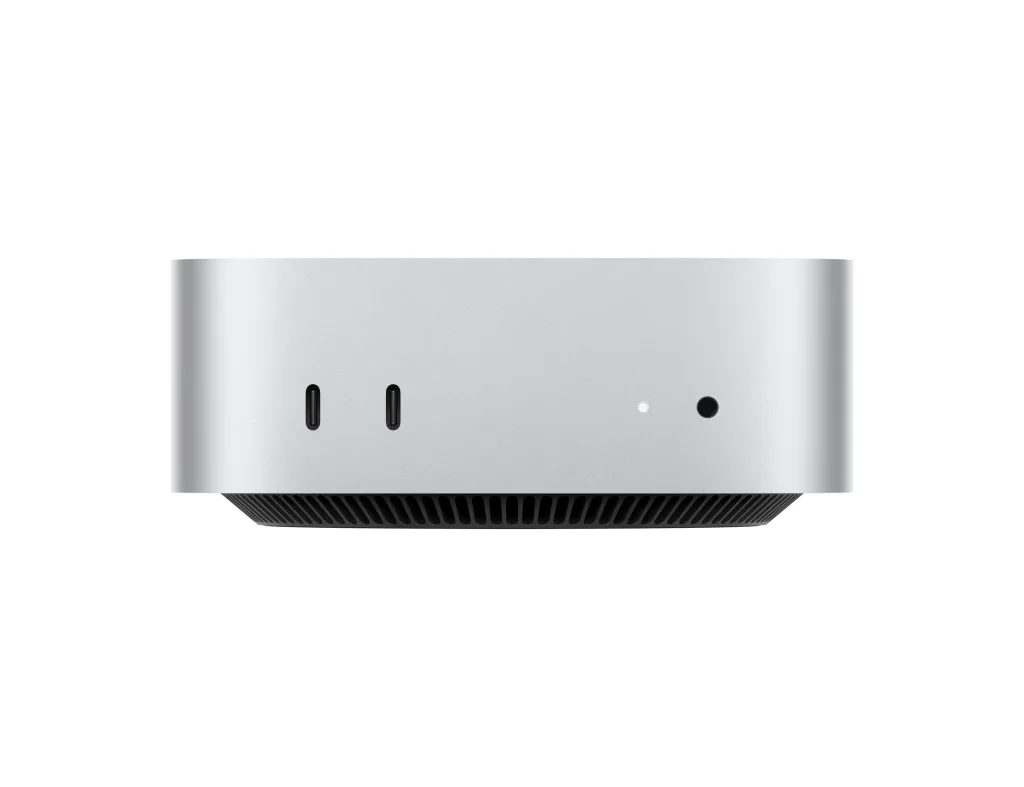
Backside
| Feature | Apple M4 Chip | Apple M4 Pro Chip |
|---|---|---|
| Gigabit Ethernet | Available (configurable with 10 Gb) | Available (configurable with 10 Gb) |
| HDMI Port | There is | There is |
| Thunderbolt Ports | 3 Thunderbolt 4 (USB-C) | 3 Thunderbolt 5 (USB-C) |
| Supported Speeds | Thunderbolt 4 (40 Gbps), USB 4 (40 Gbps), DisplayPort | Thunderbolt 5 (120 Gbps), USB 4 (40 Gbps), DisplayPort |
Wireless Connections
| Feature | Apple M4 Chip | Apple M4 Pro Chip |
|---|---|---|
| Wi-Fi | Wi-Fi 6E (802.11ax) | Wi-Fi 6E (802.11ax) |
| Bluetooth | Bluetooth 5.3 | Bluetooth 5.3 |
Ethernet
| Feature | Apple M4 Chip | Apple M4 Pro Chip |
|---|---|---|
| Ethernet Support | 10/100/1000BASE-T Gigabit Ethernet (RJ-45) | 10/100/1000BASE-T Gigabit Ethernet (RJ-45) |
| 10 Gb Ethernet Support | There is | There is |
Physical Properties
| Feature | Apple M4 Chip | Apple M4 Pro Chip |
|---|---|---|
| Height | 5 cm | 5 cm |
| Width | 12.7 cm | 12.7 cm |
| Depth | 12.7 cm | 12.7 cm |
| Weight | 0.67 kg | 0.73 kg |
Conclusion
The ports and physical characteristics of the Apple M4 and M4 Pro chips enable users to transfer high-speed data and easily connect with a variety of devices. The M4 Pro offers faster speeds with Thunderbolt 5 support, better meeting the needs of professional users, while both models offer powerful options for wireless connectivity and expandability.
3. Portability and Space Efficiency
Compact and lightweight, the M4 Mac Mini is ideal for architects working in small studio spaces or architects who need a portable solution. Unlike larger setups like Mac Studio, the M4 Mac Mini fits easily into tight spaces, as TechRadar’s review points out.
4. Price Performance
Price Comparison:
- M4 Mac Mini: Affordable, starting at $599.
- Mac Studio: Higher cost, starting at $1,999.
For architects on a budget, the M4 Mac Mini offers excellent performance at a fraction of the cost. However, those working on large-scale projects with extensive rendering requirements may find Mac Studio a better investment.
5. Limitations to Consider
While the M4 Mac Mini shines in many areas, it comes with some limitations that may affect your decision:
- RAM Capacity: The M4 Mac Mini allows up to 32 GB of RAM. While this is sufficient for most architectural projects, larger BIM (Building Information Modeling) projects or extensive multitasking may require more memory than the Mac Mini offers.
- Graphics Expansion: Unlike some systems, the M4 Mac Mini does not support external GPUs (eGPUs). This can be a concern for architects who need additional graphics processing power for rendering or visualization tasks.
- Revit Compatibility: Revit, a popular tool among architects, is not natively available on macOS. While you can use virtualization solutions like Parallels, it’s not as seamless as using it on a Windows system.
Is M4 Mac Mini Right for You?
M4 Mac Mini is the perfect choice for architects who need a balance of performance, affordability and space efficiency. It handles most architectural tasks with ease, from CAD modeling to rendering. However, if you work with ultra-complex projects or need native Revit support, you may need to explore alternatives such as Mac Studio or even a Windows-based system.
Recommendation:
- Choose the M4 Mac Mini: If you value affordability, compactness and solid performance for most tasks.
- Consider other options: If you are working on highly complex projects that require maximum RAM or native Revit functionality.
Do you use M4 Mac Mini for architectural work? Share your experiences in the comments below!